
SEO-Friendly Pagination: Load More and Infinite Scroll Examples
Implement SEO-friendly pagination with practical examples using standard pagination, load more buttons, and infinite scroll while keeping Googlebot happy.

Learn some practical ways to implement SEO friendly pagination using ‘standard’ pagination, load more functionality or infinite scroll.
What is pagination?
Pagination is the act of splitting out content onto different web pages. This may be to split out chapters of a book, products onto additional pages or simply to stop every item loading onto one page (think load times). Typically, pagination is implemented using links at the bottom of a page allowing the user to navigate the series:
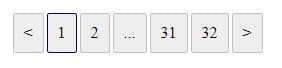
This ‘standard’ pagination (above), is not the only way websites split out content - some websites may choose to use different functionality such as infinite scroll or a load more button (e.g. load more items once an action is complete such as scrolling or clicking a button). While this may offer the best functionality to your users, it may not be so good for Googlebot which will not emulate user behaviour. This can result in Googlebot not finding or indexing content in your paginated series - and that means you could be missing out on some valuable traffic.
But it is possible to keep both your users and Googlebot happy - it's all in the implementation.
In this post, we provide practical demonstrations of how to implement pagination using infinite scroll, load more and ‘standard’ pagination.
Client Side vs Server Side Rendering
Before looking at the examples, it's worth talking about client side and server side rendering.
Server side rendering returns a page's content when a GET request is made. If you look in the source code, you’ll be able to see the server side returned code. Googlebot likes server side rendering as it can ‘see’ all the pages content.
Client side rendering is when the page is rendered with the use of JavaScript after the original HTML document is returned from the server - this could involve fetching and rendering additional data when a user completes an action such as clicking a button or submitting a form.
This is important, because Googlebot will struggle to ‘see’ content on webpages using client side rendering. But if you are implementing infinite scroll or load more, you will no doubt be using JavaScript to fetch additional items when you scroll to the bottom of the page, so how can you make infinite scroll SEO friendly?
The answer is that you need to use both; a user in the browser will use client side rendering so they can use functionality like infinite scroll, but Googlebot will use links and server side rendering to read content in the paginated series.
Pagination best practice
Before we get into the examples, there are a couple of finer detail recommendations and common pitfalls that are often seen in the wild.
Quick guide
| Do | Don't | Explanation |
|---|---|---|
| Use self-referencing canonicals | Don't direct canonical to the first page in the series | Each paginated page should reference itself as the canonical URL rather than consolidating signals to page 1. |
Use <a> tags to link to paginated pages |
Don’t use JS event handlers to navigate between pages | Googlebot may not follow JavaScript-based navigation. Use standard links so pages can be discovered and crawled. |
| Make sure each item on the page is unique to that page | Avoid putting the same content on every paginated page | Ensure products/items don't repeat across pagination (e.g. item 10 should not appear on pages 1, 2, and 3) to avoid duplicate content issues. |
| Put unique page content on the first page only | — | If you have descriptive content about the category/page, keep it on page 1 rather than repeating it across all paginated URLs. |
Use parameters such as ?page=1, ?page=2, etc. |
— | Use clear URL structures to represent different pages in a pagination sequence. |
Use History API (history.pushState) to set URLs when implementing JS pagination |
— | If pagination is JavaScript-driven, ensure URLs update correctly so each page state can be accessed. |
| Use server-side rendering and ensure all items are present in the source code | — | Make sure paginated content is available in the HTML source rather than only being loaded after JavaScript execution. |
| — | Don’t use rel="next" / rel="prev" |
These attributes are now deprecated and are no longer used by Google for pagination signals. |
| — | Don’t use rel="noindex" on paginated pages |
Paginated pages should generally remain indexable so Google can discover all content/items. |
Common pitfalls
Using a single URL
The problem
Many sites now use a front end JS framework - often these frameworks are implemented as a single page application. You click a button, or scroll to the bottom of the page and more content is AJAXed onto the page. You need to create additional URLs that Googlebot can crawl and associated content with.
Why is this an issue?
If you're updating the same page with additional items using JS, Googlebot will see a single URL and and likely will not see all the additional items AJAXed onto the page.
?Page=10 contains all items from page 1 to 10
The problem
Some sites use ‘load more’ functionality when the user reaches the bottom of the page. This adds more items to the page but results in the paginated page containing all the items from the current page plus all the items from the previous page / pages.
Why is this an issue?
You create duplicate pages and results in Googlebot ranking various pages in your series above the first page (which is hopefully the most relevant)
Content on paginated pages
The problem
For example, you are selling gold rings and the first page contains 50 gold rings and some content about them. This content is then used on every paginated page in the series.
Why is this an issue?
This creates similar pages and again you might see odd paginated pages in your series ranking.
Pagination examples
The examples below show how to implement pagination using ‘standard’ pagination, load more and infinite scroll.
Standard pagination
Example page: standard pagination
This is the most simple - you link from the first page to the last page.
- Each paginated page has unique items / content ✓
- Page is rendered using server side ✓
- Uses a tags and crawlable links ✓
- Each page has a unique URL ✓
- Self referencing canonical ✓
Load more
Example page: load more
With load more the user clicks a button to AJAX more items onto the page. Googlebot, however, will find and crawl the links.
- Each paginated page has unique items / content ✓
- Page is rendered using server side ✓
- Uses crawlable links ✓
- Each page has a unique URL ✓
- Self referencing canonical ✓
- Load more button uses client side rendering to add more items to the page and updates the URL. Reloading the page returns unique items for the given page**✓**
Note - the implementation shown on the example page could also use infinite scroll e.g. if you land on page 2 infinite scroll could be used when you reach the top of the page to show page 1.
Infinite scroll
Example page: infinite scroll
Infinite scroll means new items are AJAXed onto the page when the user reaches the bottom of the page. Googlebot, however, will find and crawl the links.
- Each paginated page has unique items / content ✓
- Page is rendered using server side**✓**
- Uses crawlable links ✓
- Each page has a unique URL ✓
- Self referencing canonical ✓
- Scrolling to the bottom of the page uses client side rendering to add more items to the page and updates the URL. Reloading the page returns unique items for the given page ✓
Conclusion
There you have it - pagination which allows you to have the desired functionality for your users yet still SEO friendly for Google. If you user another pagination implementation, we'd love to hear from you :) .

Charlie leads the technical SEO team at Melt Digital, focusing on complex technical implementations and SEO automation. He has deep expertise in JavaScript frameworks, Core Web Vitals optimisation, and building custom SEO tools.
Related Articles
The majority of AI agents don’t render JavaScript - here's how to check your site rendering
AI agent crawlers typically don’t render JavaScript - they take the raw html source code (meaning anything that is rendered…
Read more
What is Content Design? Why You Need It for SEO (and More)
Learn how content design principles can revolutionize your SEO strategy by putting user needs first and creating content that truly…
Read more
How to Use Apps Script to Automate Daily SEO Tasks
Discover how to leverage Google Apps Script to automate repetitive SEO tasks, from web crawling to API integrations, saving time…
Read moreReady to Boost Your Organic Traffic?
Let's discuss how Melt Digital can help transform your SEO strategy.
Get in Touch